[iOS][CocoaPods] MailboxのUIを実現するライブラリ「MCSwipeTableViewCell」



こんにちは。ちんぺい(@tinpay)です。
最近、CocoaPodsからいろいろ入れて試してみてるので、よさげなものを随時ご紹介していこうと思ってます。
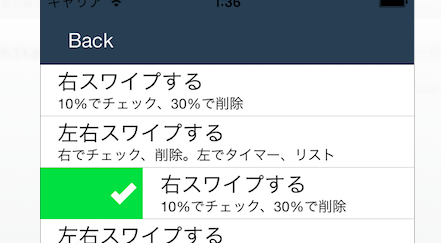
今回は、Mailboxのようなリストを左右にスワイプするようなUIを実現させるライブラリ「MCSwipeTableViewCell」のご紹介です。
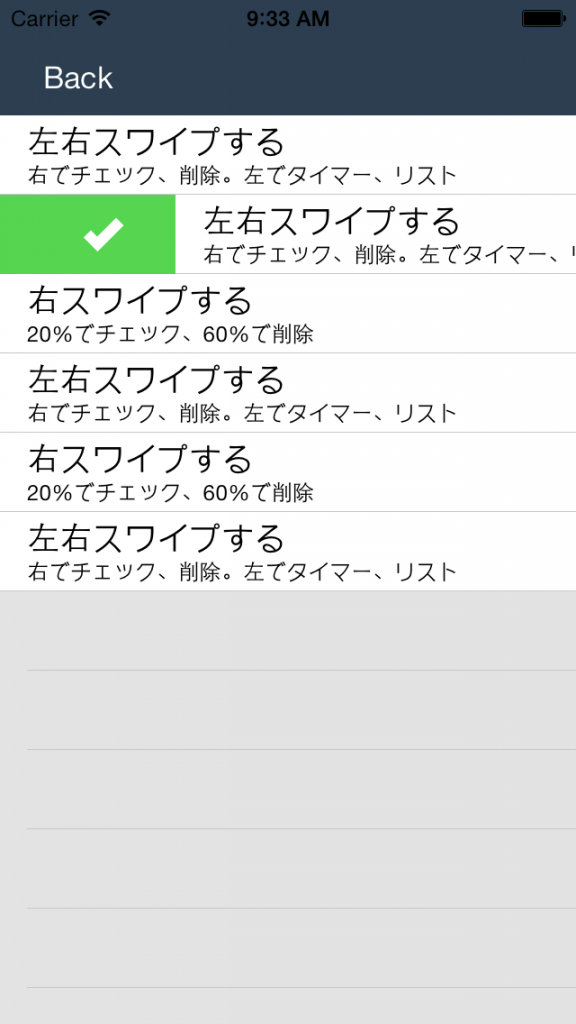
右にスワイプすると「完了」、さらに右にスワイプすると「削除」というようなUIが簡単に実装できます。
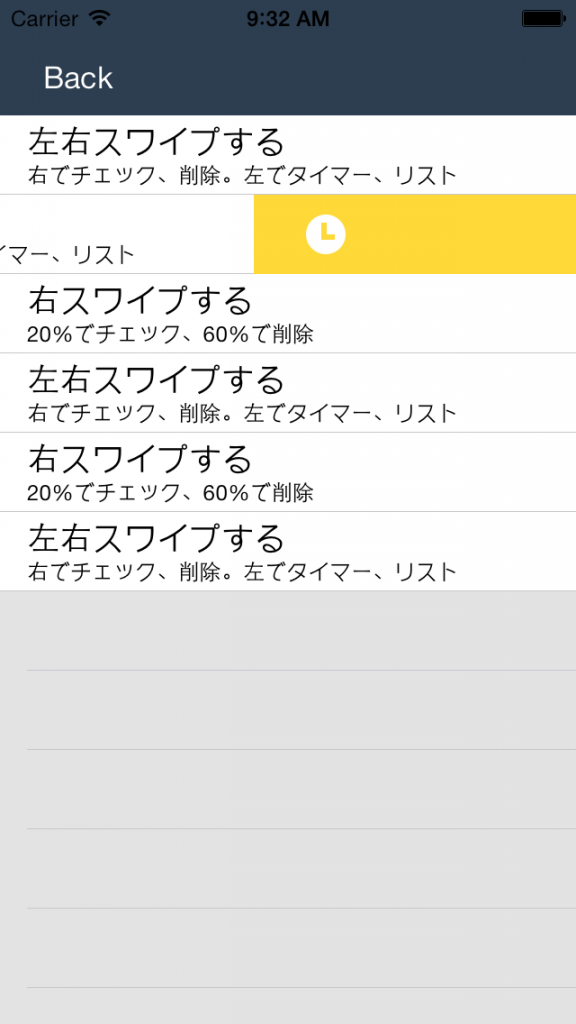
左スワイプで「時間指定」、「リスト登録」など、まさにMailbox!!
どのくらいスライドすると最初のトリガー、2回目のトリガーか、スワイプの幅も割合で指定することができます。
MCSwipeTableViewCell
git : https://github.com/alikaragoz/MCSwipeTableViewCell
License : MIT
CocoaPods : pod “MCSwipeTableViewCell”
Requirements : iOS >= 5.0 , ARC
Devloper : Ali Karagoz
TableCellを作成するところのカスタマイズなのですごく簡単です。
各アクションもBlocksで、見た目もシンプルでわかりやすい!
- (UITableViewCell *)tableView:(UITableView *)tableView cellForRowAtIndexPath:(NSIndexPath *)indexPath {
	static NSString *CellIdentifier = @"Cell";

	MCSwipeTableViewCell *cell = [tableView dequeueReusableCellWithIdentifier:CellIdentifier];

	if (!cell) {
		cell = [[MCSwipeTableViewCell alloc] initWithStyle:UITableViewCellStyleSubtitle reuseIdentifier:CellIdentifier];

		//iOS7のSeparatorは途中で途切れてるので、それを両端まで伸ばす
		if ([cell respondsToSelector:@selector(setSeparatorInset:)]) {
		cell.separatorInset = UIEdgeInsetsZero;
		}

		[cell setSelectionStyle:UITableViewCellSelectionStyleGray];

		cell.contentView.backgroundColor = [UIColor whiteColor];

	}
	//処理イメージ設定
	UIView *checkView = [self viewWithImageName:@"check"];
	UIColor *greenColor = [UIColor colorWithRed:85.0 / 255.0 green:213.0 / 255.0 blue:80.0 / 255.0 alpha:1.0];

	UIView *crossView = [self viewWithImageName:@"cross"];
	UIColor *redColor = [UIColor colorWithRed:232.0 / 255.0 green:61.0 / 255.0 blue:14.0 / 255.0 alpha:1.0];

	UIView *clockView = [self viewWithImageName:@"clock"];
	UIColor *yellowColor = [UIColor colorWithRed:254.0 / 255.0 green:217.0 / 255.0 blue:56.0 / 255.0 alpha:1.0];

	UIView *listView = [self viewWithImageName:@"list"];
	UIColor *brownColor = [UIColor colorWithRed:206.0 / 255.0 green:149.0 / 255.0 blue:98.0 / 255.0 alpha:1.0];

	//非アクティブ時の背景色
	[cell setDefaultColor:self.mainTableView.backgroundView.backgroundColor];

	[cell.textLabel setText:@"左右スワイプする"];
	[cell.detailTextLabel setText:@"右でチェック、削除。左でタイマー、リスト"];

	//右スワイプ1つ目(state:MCSwipeTableViewCellState1)
	[cell setSwipeGestureWithView:checkView color:greenColor mode:MCSwipeTableViewCellModeSwitch state:MCSwipeTableViewCellState1 completionBlock:^(MCSwipeTableViewCell *cell, MCSwipeTableViewCellState state, MCSwipeTableViewCellMode mode) {
		NSLog(@"Did swipe \"Checkmark\" cell");
	}];
	//右スワイプ2つ目(state:MCSwipeTableViewCellState2)
	[cell setSwipeGestureWithView:crossView color:redColor mode:MCSwipeTableViewCellModeExit state:MCSwipeTableViewCellState2 completionBlock:^(MCSwipeTableViewCell *cell, MCSwipeTableViewCellState state, MCSwipeTableViewCellMode mode) {
		NSLog(@"Did swipe \"Cross\" cell");
		[self deleteCell:cell];
	}];
	//左スワイプ1つ目(state:MCSwipeTableViewCellState3)
	[cell setSwipeGestureWithView:clockView color:yellowColor mode:MCSwipeTableViewCellModeSwitch state:MCSwipeTableViewCellState3 completionBlock:^(MCSwipeTableViewCell *cell, MCSwipeTableViewCellState state, MCSwipeTableViewCellMode mode) {
		NSLog(@"Did swipe \"Clock\" cell");
	}];

	//左スワイプ2つ目(state:MCSwipeTableViewCellState4)
	[cell setSwipeGestureWithView:listView color:brownColor mode:MCSwipeTableViewCellModeSwitch state:MCSwipeTableViewCellState4 completionBlock:^(MCSwipeTableViewCell *cell, MCSwipeTableViewCellState state, MCSwipeTableViewCellMode mode) {
		NSLog(@"Did swipe \"List\" cell");
	}];

	return cell;

}
- (UIView *)viewWithImageName:(NSString *)imageName {
    UIImage *image = [UIImage imageNamed:imageName];
    UIImageView *imageView = [[UIImageView alloc] initWithImage:image];
    imageView.contentMode = UIViewContentModeCenter;
    return imageView;
}
お試しあれ。
関連する記事:




【iPhoneアプリ】速Reminder v1.4がリリースされました。 【大阪のカレー(6)夜編】自分のオリジナルカレーをつくってもらえる「nidomi」のカクテルカレーを食べてきました@谷町四丁目 #カレー #大阪カレー
ちんぺい(tinpay)について
 iOSアプリを作っています。
作ったアプリは「速Reminder」「速Calendar」「速Address」「速Todo for Toodledo」「絵しりとり子」「日付の電卓」「みずぬりえほん」「みずぬりえ」「デコアニメール」「おえかキロク」「うたリズム」「EverShot」「絵日記」、、、他何本か作りました。
ビールが大好きです!お酒何でも大好きです!!
子沢山。
iPhoneL♡VE部
関西ブロガー伝
やってます。
@tinpayさんをフォロー
人気の投稿とページ


鮪


 iPhoneL♡VE部